Features & Specs
If you’re running a membership site with ARMember, integrating it with a marketing automation tool can save you tons of time and make your campaigns more effective. That’s where the ARMember Mautic Addon comes in. It lets your membership plugin talk directly with Mautic, automating email campaigns, lead tracking, and user segmentation—all without any manual work.
What is Mautic?
Mautic is an open-source marketing automation platform. It helps you manage email campaigns, track leads, segment users, and automate repetitive marketing tasks. With Mautic, you can reach the right audience at the right time with personalized messages.
What does the ARMember Mautic Addon do?
This addon connects your ARMember membership site with Mautic. Whenever someone registers, subscribes, or updates their profile, the addon automatically syncs their data with Mautic. That means your email campaigns, automation workflows, and targeted marketing actions stay up to date in real-time.
When do you need ARMember Mautic addon?
If you run a membership site with multiple subscription levels, paid or free, and want automated email campaigns, onboarding sequences, or targeted notifications, this addon is a must-have. It eliminates manual syncing and reduces errors.
Which problems does ARMember Mautic solve?
Manually managing member emails, segmenting users, and tracking leads can be time-consuming and error-prone. This addon automates all of that. It ensures members get the right emails, tracks user activity accurately, and keeps your marketing efforts efficient and organized.
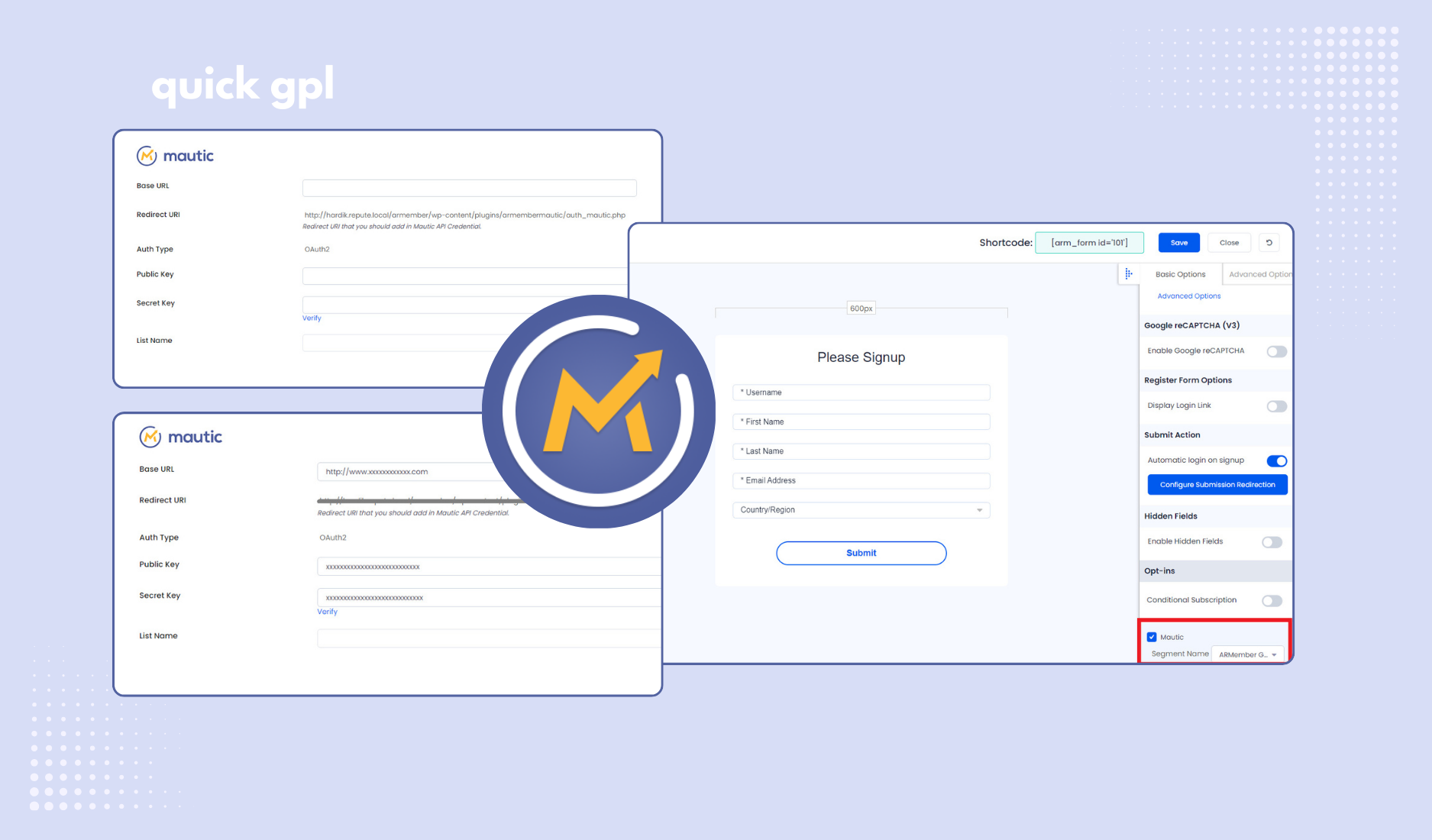
How to set up ARMember Mautic AddOn?
To get the ARMember – Mautic Addon working smoothly, follow these steps carefully. First, make sure ARMember Plugin is installed and active.
- Install the Addon: You can either upload via FTP—extract the addon, upload the
armembermautic folder to wp-content/plugins/, then activate from WordPress Plugins menu—or use the WordPress uploader by going to Plugins → Add New → Upload and activating it.
- Connect to Mautic: Create a Mautic account if you don’t have one. Grab your Base URL, then go to API Credentials → New → OAuth2, add a name, and copy the Redirect URI into Mautic’s Callback URI. Click Apply to get your Client ID and Secret, then paste them into ARMember’s Mautic settings under Opt-ins and save. You will get Redirect URL something like this: https://XXXXXXX.mautic.net. Using the right Redirect URL is very important otherwise you cam face problem during verification.
- Verify & Assign Segments: Click “Verify” next to Secret Key. Once successful, select a default Mautic Segment. Then edit your registration forms, check the Mautic checkbox, and assign the correct segment. Save everything.
After this, all members who register via ARMember forms will automatically appear in Mautic Contacts—easy, accurate, and fully automated.
This is the 100% original GPL licensed plugin—safe, legal, update-ready, and free from cracked or nulled files. It works with popular tools like WooCommerce and Easy Digital Downloads, and it’s lightweight enough not to slow down your site.
In short, the ARMember Mautic Addon simplifies membership management, automates marketing workflows, and keeps your campaigns accurate and effective—so you can focus on growing your business instead of managing manual tasks.